Multi-protocol discovery
ARP sweeps backed by passive mDNS, SSDP and DHCP discovery — plus optional SNMP polling of your gateway's ARP table.
OOTT runs quietly behind the scenes, watching your local network and alerting you the instant a new or changed device appears — no agents, no cloud, no fuss.
Self-hosted · Runs in a single container · AGPL-3.0
◢ 01 — Capabilities
Everything you need to keep an eye on your network, nothing you don't.
ARP sweeps backed by passive mDNS, SSDP and DHCP discovery — plus optional SNMP polling of your gateway's ARP table.
Be notified the moment it matters: a brand-new device joins, a known one changes its IP or vendor, or a device comes back online after being away.
A local SQLite database keeps storage modest — roughly 150–700 MB per year for a typical home or homelab.
Explore every device in detail from web, desktop, iOS and Android — building a living database of your network's devices and assets.
One container, one small config file, sensible defaults for everything else. You're running before your coffee's cold.
Fully open source under the AGPL-3.0. Self-hosted on your own hardware — your network data never leaves your control.
Configure OOTT and browse everything it collects from the web, your desktop, or a native iOS and Android app.
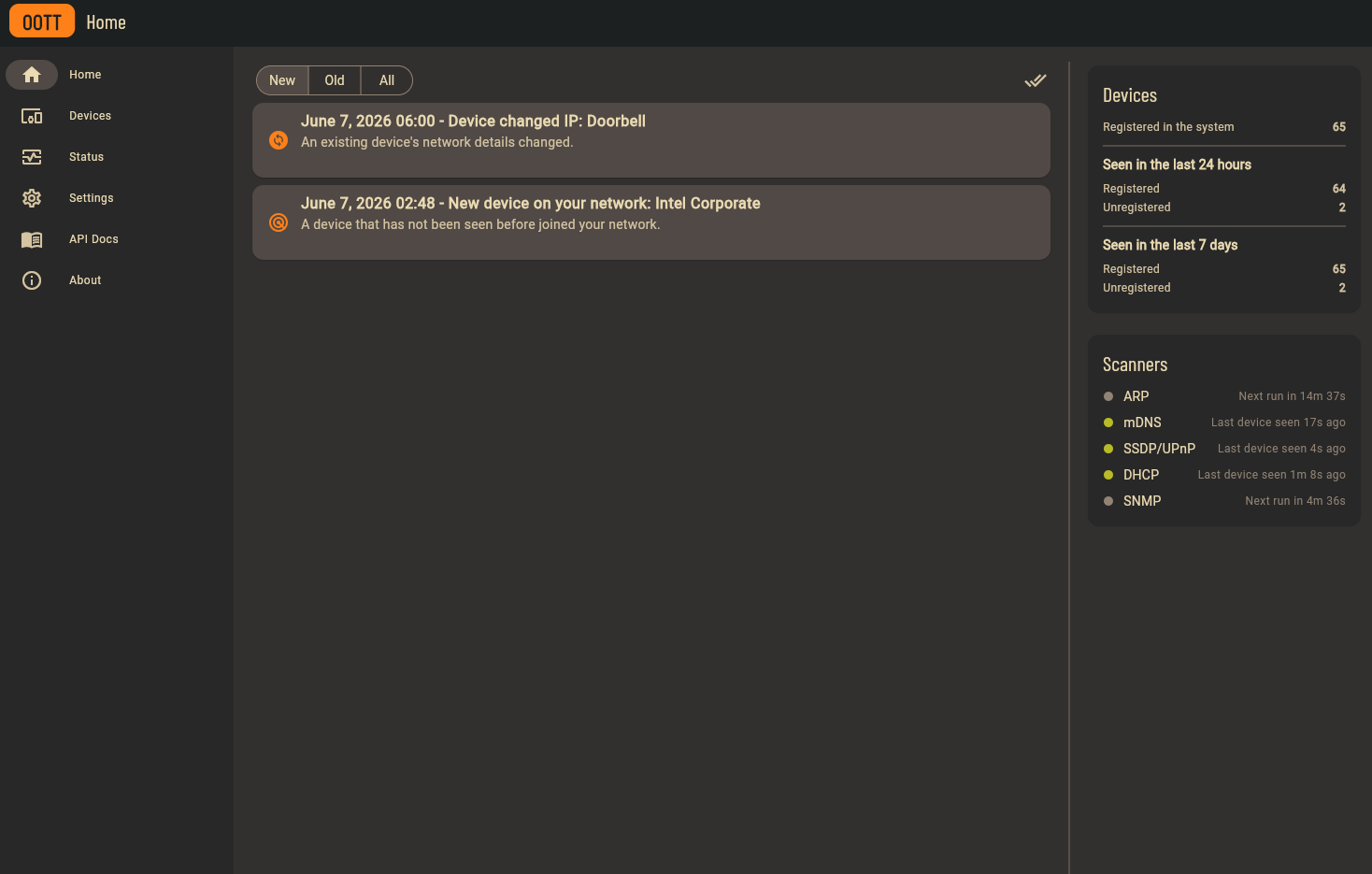 Web UI
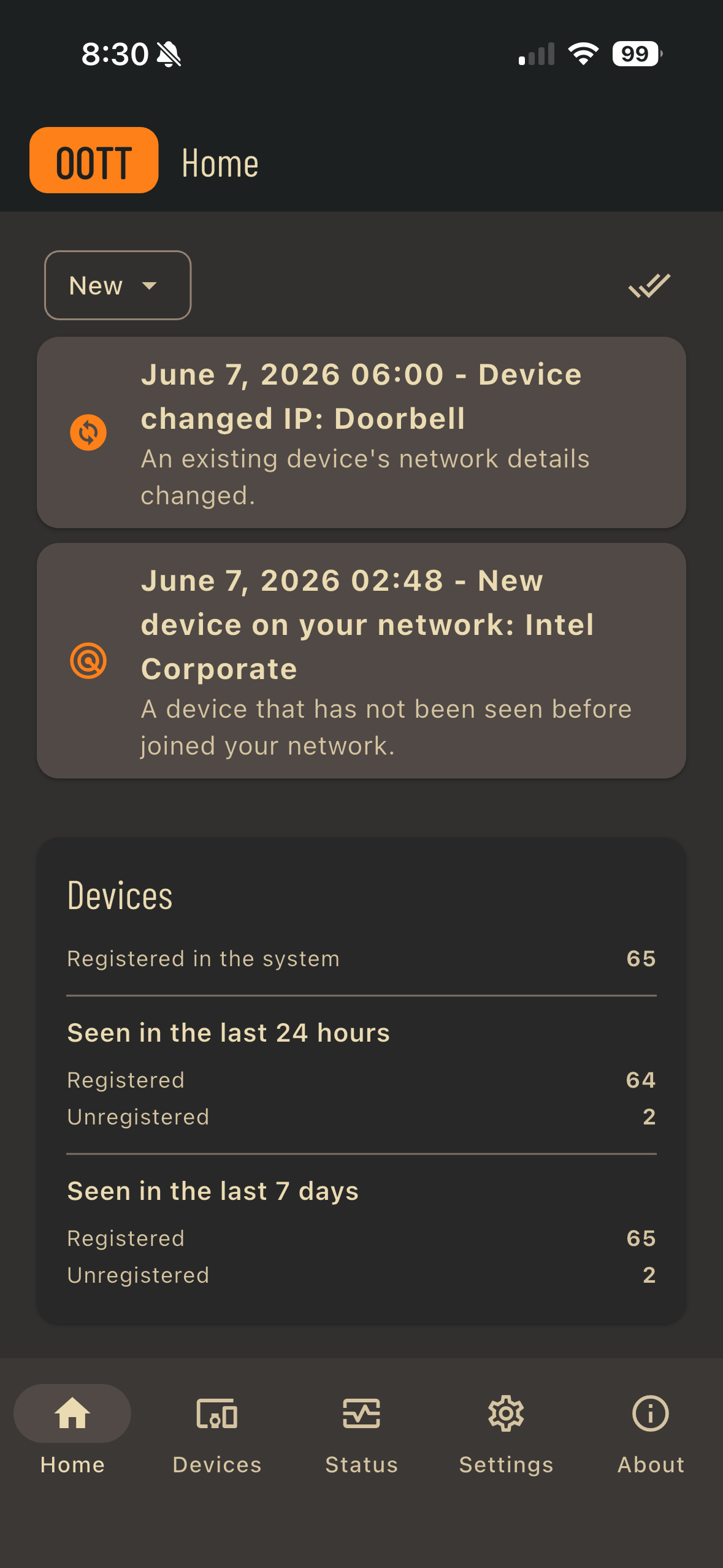 Mobile UI
◢ 02 — Deploy
The quickest path is Docker: a small config file, a compose file, and one command. Prefer NixOS? There's a flake for that too.
name: oott

services:
  oott:
    image: rzuasti/oott:latest
    volumes:
      - /docker/oott/config:/config
      - /docker/oott/db:/db
    network_mode: host
Host networking lets OOTT see the multicast and broadcast traffic its scanners rely
on. Then just run docker compose up -d.
[database]
path = "/db/oott.db"

[web_server]
api_key = "CHANGE_ME" # the app uses this to talk to the backend

[notifications]
method = "push" # delivers to the mobile app; or "none" to only log
This minimal config is enough to start — every other option falls back to a sensible default.
# flake.nix inputs
oott = {
  url = "github:rzuasti/oott";
  inputs.nixpkgs.follows = "nixpkgs";
};

# configuration.nix
services.oott = {
  enable = true;
  database.path = "/var/lib/oott.db";
  web_server.api_key = "CHANGE_ME";
  notifications.method = "push";
};
Add the module and overlay, then configure the service. See the README for the full set of options.
Full installation guide and all configuration options on GitHub.
Then grab the app and explore your network:
The mobile apps are a small one-time purchase that helps fund the ongoing maintenance and development of OOTT. Their source is fully open — anyone is free to download, build and run them at no cost. To everyone who chooses to buy the app and support the project: thank you, it genuinely keeps OOTT moving forward. 💚
◢ 03 — License
OOTT is released under the GNU Affero General Public License v3.0. It is and will continue to be open source.